Daily Free software
Email me at juzten@gmail.com to get your ad here!!!
Your Add Here Your Add Here
Showing posts with label xp. Show all posts

Install-It 2.0

Posted In: , , , , , , . By Never Surrender


Install-It 2.0 is the perfect free program for any network administrator or even the computer tech of the family. Install-It 2.0 is a freeware utility that displays a list of program setup files that have been burned to a CD along with the Install-It 2.0 freeware. All you have to do is burn the Install-It 2.0 to a CD along with any program installations files that you want to include. After you burn the CD, insert it into any computer that you want to install the files that are on the CD and it will automatically display a list of the programs that are ready to be installed. This freeware program is perfect for making a CD for family or friends who need certain program, drivers, or any other programs installed on their computer and they are the basic computer user that doesn’t know as much as you. This freeware program is compatible with Windows 98, XP, and Vista.
Downlaod: Install-It 2.0
Learn more: Freeware Website

StumbleUpon
Add to Technorati Favorites Blogging Blogs - BlogCatalog Blog Directory Blog Directory


encrypt your data with TrueCrypt

Posted In: , , , , , , , , . By Never Surrender


Encrypt your data with TrueCrypt. TrueCrypt is a free open-source encryption program. It creates a virtual encrypted disk in a file and mounts it as a real disk. It encrypts partitions, USB drives, and external hard drives as well. The main thing I liked about it is that it has two levels of plausible deniability just in case you are forced to give up a password. TrueCrypt is supported on Windows Vista, Windows Xp, Mac OS X, and Linux.

Download:TrueCrypt

StumbleUpon
Add to Technorati Favorites Blogging Blogs - BlogCatalog Blog Directory Blog Directory


QTTabBar explorer add-in

Posted In: , , , , , . By Never Surrender

Is Windows Explorer starting to look plain because it doesn't have a lot of features? Try QTTabBar. It is an add-in for Windows Explorer that gives it many features such as tabs, folder grouping, and histories. QTTabBar can be used with Windows Vista and Windows Xp + .Net Framework 2.0 or later.

Download: QTTabBar

StumbleUpon
Add to Technorati Favorites Blogging Blogs - BlogCatalog Blog Directory Blog Directory


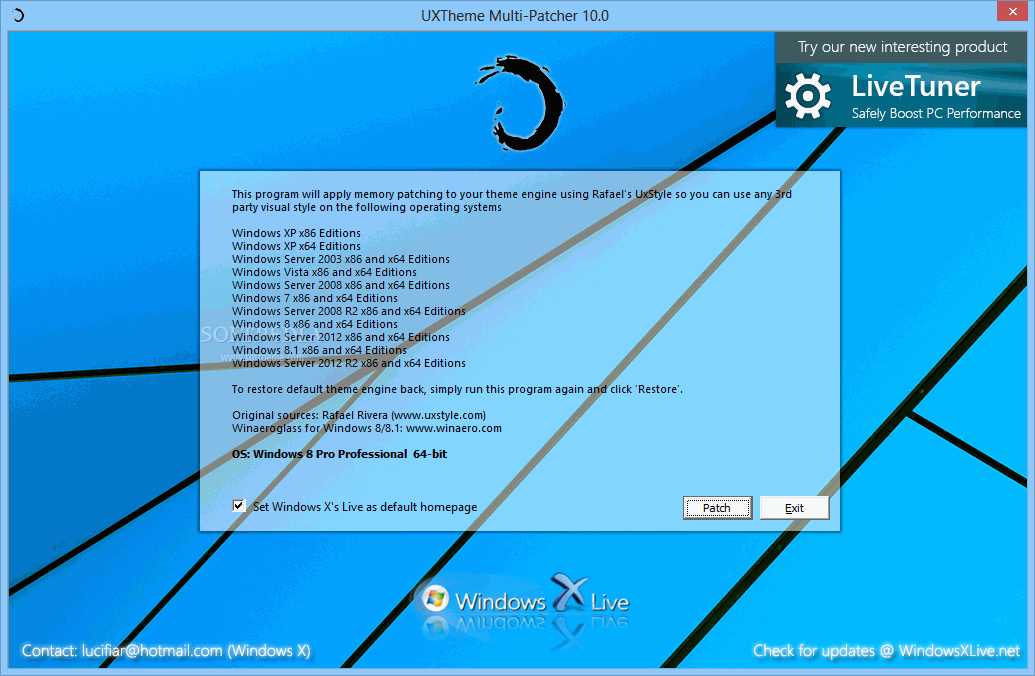
UXTheme Multi-patcher 6.0

Posted In: , , , , , , , . By Never Surrender


If you like to use 3rd party msstyle themes and use un-signed custom visual styles or want to check them out and add them to your Windows computer then check out UXTheme MultiPatcher. This patch changes your uxtheme.dll and allows for the use of any 3rd party msstyle theme on Windows Xp/SP1/Sp2 or Windows Server 2003. To patch the UXTheme file all you have to do is run the program and it will determine the operating system, then patch the right file and reboot the PC. If you want to un-patch the UXTheme then just run the program again and it will un-patch the .dll file that was changed and reboot the PC again. It is a really simple program to use and is great for the people that want to change the look of there computer.

Visit Softpedia's website to find more information and download the application
UXTheme Multi-patcher 6.0

StumbleUpon
Add to Technorati Favorites Blogging Blogs - BlogCatalog Blog Directory Blog Directory


Eraser

Posted In: , , , , , , , , , . By Never Surrender


Do you need to completely remove sensitive data or files from your hard drive? Eraser is a free security tool that removes data from a hard drive by overwriting it several times with selected patterns. Data like passwords, personal information, classified documents, and financial records are some of the stuff that someone might want deleted but with the normal Windows Vista or Windows XP the data isn't totally erased. So before the file is overwritten it can be easily retrieved with retrieval software. This is where Eraser comes in. Here is a list of features that Eraser has.

-Erases Files/Folders that were only previously 'deleted'.
-Erases all hard drives using 'Darik's Boot and Nuke' method.
-Erases Index.dat on Reboot
-Erases Encrypted Files and Drives.
-Erases FreeSpace on 95, 98, ME, NT, 2000, XP and DOS.
-Erases contents of the Recycle Bin.
-Erases Compressed Files and Drives.
-Erases Network Files, Floppy Disks, CD-RW, DVD-RAM, DVD-RW.
-Erases Windows Temporary Files.
-Erases Internet Cookies.
-Erases Paging (swap) file.
-Erases Internet Cache.
-Appears as an 'Erase' option on the Context Menu of Windows Explorer and Recycle Bin.
-Comes with an Eraser Scheduler that allows you to create user-defined tasks.
-Defeats File Recovery software applications Hardware tools.
-Supports FAT32 and NTFS Files Systems.
-Eraser is easy to use and comes with a dedicated support network.


Learn more-Eraser
Download-Eraser

StumbleUpon
Add to Technorati Favorites Blogging Blogs - BlogCatalog Blog Directory Blog Directory


Vista Start Menu

Posted In: , , , , , . By Never Surrender


Are you still using Windows XP and don't want to upgrade to Vista? Or are you using Vista and want a better start menu. Well the free program Vista Start Menu gives you the feel of Vista's Start Menu but adds a lot more features and customization. It lets you instantly find what program you are looking for. It is easy for a beginner to use and easier for advanced users to get used to. Vista Start Menu is a great alternative to the old Windows XP and the new Windows Vista start menu. Want to learn more about this free alternative to Windows Start Menu? Try it out and let me know how it works for you. It works on Windows NT, 2000, 2003, XP, and Vista.

StumbleUpon
Add to Technorati Favorites Blogging Blogs - BlogCatalog Blog Directory Blog Directory